Bus Simulator Indonesia Livery: Download Free HD, SHD, SDD & Custom BUSSID PNG Skins
Bus Simulator Indonesia (BUSSID) is one of the most popular bus driving games for Android. Developed by Maleo, it lets you drive through Indonesian roads with realistic traffic, detailed buses, and local routes. The game also supports custom BUSSID livery files, giving players full control over their bus designs. The official game includes a built-in livery feature and provides templates for custom creations. Custom liveries have become a favorite part of the BUSSID community.
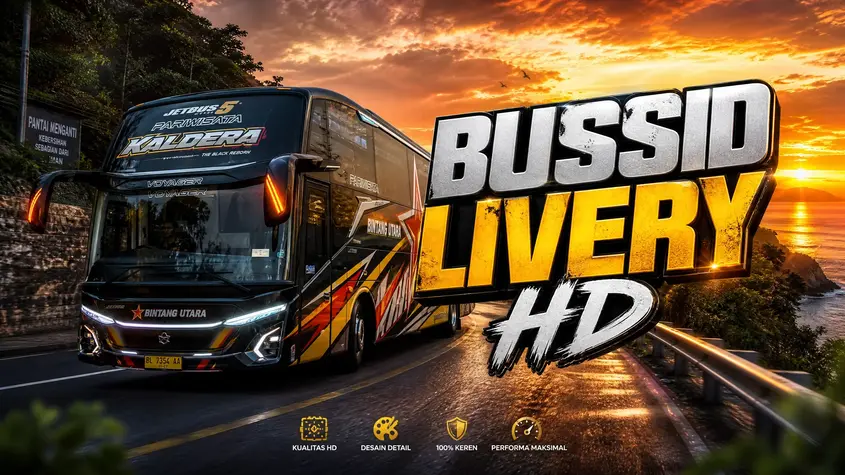
You can replace the default paint with real PO bus designs, tourism coaches, AKAP buses, or your own artwork. Many players collect different BUSSID PNG livery files to match each bus model in their garage. A fresh design makes every trip feel more personal and closer to real buses seen across Indonesia. This guide helps you find the best Bus Simulator Indonesia livery collections in one place.
You’ll discover free download BUSSID livery options for HD, SHD, XHD, UHD, SDD, Jetbus, Tronton, and other popular bus types. We also cover liveries for leading PO companies, including Sugeng Rahayu, Sinar Jaya, Haryanto, ALS, Gunung Harta, Budiman, EKA, and more. You’ll learn how to install livery BUSSID PNG files in the Garage, choose the correct skin for your bus, and fix common installation issues. We also share customization tips, editing tools, and template resources if you want to create your own BUSSID skin. Whether you need a factory-style design, a Pariwisata coach, an Executive bus, or a Full Strobo theme, this guide will help you find the right livery and apply it with ease.
What Is Bus Simulator Indonesia Livery?
A Bus Simulator Indonesia livery is a custom design that changes how your bus looks in the game. It adds new colors, graphics, and logos without changing the bus’s performance. Most BUSSID livery files come in PNG format and work with specific bus models.
Understanding BUSSID Liveries
A livery changes only the bus’s appearance. A mod adds new buses or game features. Most players use both together for a better experience. BUSSID PNG skins are easy to install through the Garage menu. Just choose a compatible file for your bus model. If you want to create your own design, Maleo offers official livery templates. You can edit them with tools like Photoshop, PicsArt, or MediBang Paint before applying them in the game.
Why Players Use Custom Liveries
Custom liveries make every bus look different. Many players choose designs based on real PO companies like Sugeng Rahayu, Sinar Jaya, or Haryanto. Others prefer Pariwisata, AKAP, or Full Strobo themes. The BUSSID community also shares thousands of free designs, making it easy to find a style that matches your garage.
Types of BUSSID Liveries
BUSSID supports many bus models, and each one needs a matching livery. Choosing the correct BUSSID PNG livery helps the design fit properly without stretched graphics or missing textures.
HD Liveries
HD (High Deck) liveries fit standard high-deck buses. They remain a popular choice because they balance style and simplicity. Many players use HD liveries for daily routes and intercity travel.
SHD Liveries
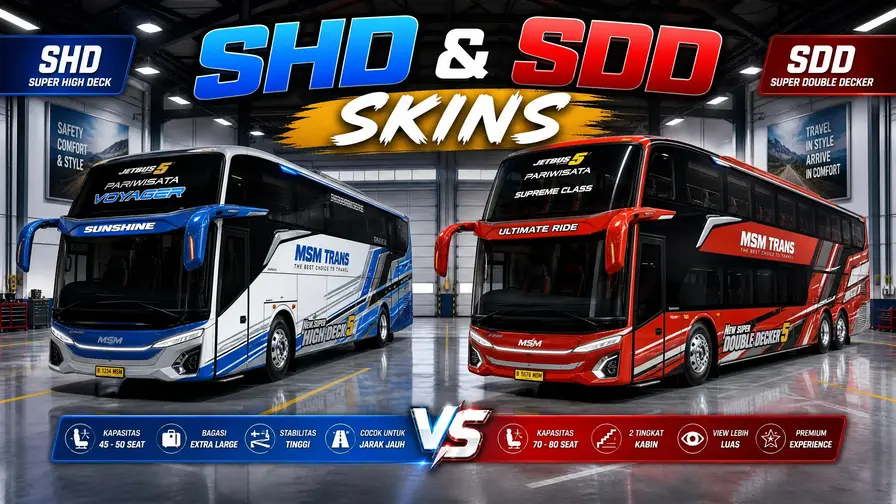
SHD (Super High Deck) liveries suit executive coaches with taller bodies. They offer more space for detailed graphics and work well with popular PO bus designs.
XHD Liveries
XHD (Extra High Deck) liveries fit buses with a higher body than SHD models. They often feature bold graphics and modern color schemes.
UHD Liveries
UHD (Ultra High Deck) liveries are made for premium coaches. They look great with luxury, tourism, and long-distance bus designs.
SDD / HDD Liveries
SDD (Super Double Decker) and HDD liveries fit double-decker buses. These large buses provide extra room for creative artwork and full-body graphics.
Tronton Liveries
Tronton liveries are designed for long buses and heavy vehicle mods. Many players choose clean commercial or cargo-inspired themes for these models.
Jetbus Liveries
Jetbus liveries remain among the most downloaded in the BUSSID community. You can find designs for Jetbus 2+, Jetbus 3+, and Jetbus 5, including Pariwisata, AKAP, and popular PO company styles.
Popular PO BUSSID Liveries
Many BUSSID players prefer liveries based on real Perusahaan Otobus (PO) companies. These designs make the game feel more realistic and let you drive buses that resemble those on Indonesian roads.
Sugeng Rahayu Livery
Sugeng Rahayu is one of the most downloaded BUSSID liveries. It features bold colors and works well with SHD and Jetbus models.
Sinar Jaya Livery
Sinar Jaya liveries use clean graphics and bright color combinations. They are a popular choice for AKAP and executive buses.
Haryanto Livery
Haryanto liveries stand out with their signature green design. Many players use them on Jetbus 3+ and SHD buses.
ALS Livery
ALS (Antar Lintas Sumatera) liveries recreate one of Indonesia’s well-known long-distance bus operators. They suit intercity bus mods.
Gunung Harta Livery
Gunung Harta liveries feature modern styling and premium colors. They are often paired with luxury coach models.
EKA Livery
EKA liveries offer a simple yet realistic appearance. They remain a favorite for players who enjoy classic Indonesian bus designs.
Budiman Livery
Budiman liveries match several HD and SHD buses. Their familiar branding makes them popular among BUSSID fans.
Harapan Jaya Livery
Harapan Jaya liveries use bright graphics and detailed logos. They fit many executive and tourism bus models.
Pandawa 87 Livery
Pandawa 87 liveries feature modern artwork with eye-catching color schemes. They look great on newer Jetbus models.
Bejeu Livery
Bejeu liveries bring another real PO company into BUSSID. Their colorful designs work well for players who enjoy realistic bus collections.
Tourism & Custom Livery Collections
BUSSID offers more than real PO bus designs. Players can also choose themed liveries that match their favorite routes, events, or personal style.
Pariwisata Liveries
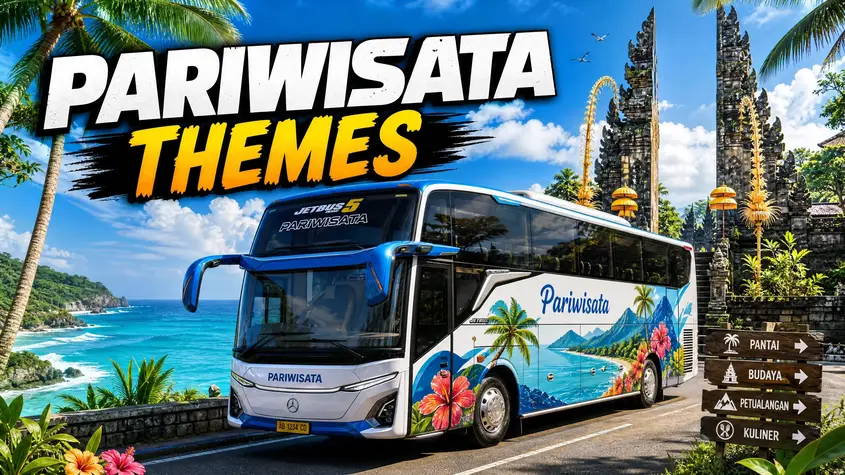
Pariwisata liveries are perfect for tourism buses. They often feature bright colors, scenic graphics, and premium coach designs.
AKAP Liveries
AKAP liveries represent intercity and interprovincial buses. They focus on realistic branding and popular Indonesian bus operators.
Executive Bus Liveries
Executive bus liveries use clean graphics and modern color combinations. They fit SHD, XHD, and UHD bus models.
Luxury Bus Liveries
Luxury liveries add a premium look with stylish patterns, dark finishes, and elegant details. They are popular for high-end coach mods.
Full Strobo Designs
Full Strobo liveries pair well with LED lighting mods. They give buses a modern appearance, especially during night driving.
Timnas Indonesia Theme
These liveries celebrate the Indonesian national football team. They often include the Garuda emblem and the team’s signature colors.
Blackpink Theme
Blackpink-themed liveries combine pink, black, and custom artwork. They remain popular among players who enjoy K-pop-inspired designs.
Kids Panda Theme
Kids Panda liveries use playful colors and cartoon graphics. They give buses a fun and cheerful appearance.
Golden Star Theme
Golden Star liveries feature gold accents with bold graphics. They suit players who want a standout bus design.
Lumba-Lumba Theme
Lumba-Lumba liveries use dolphin-inspired artwork with blue color schemes. They are a popular choice for tourism and custom buses.
Download BUSSID Livery PNG
Most Bus Simulator Indonesia new update livery files come in PNG format. This format keeps colors sharp and supports transparent backgrounds. It also helps the livery fit your bus without unwanted white areas. Choose HD-quality PNG files for a cleaner look.
High-resolution liveries keep logos, text, and graphics clear while driving. File sizes usually range from 1 MB to 10 MB, depending on the design and image quality. Larger files often include more detailed artwork. Before you download BUSSID livery, check that it matches your bus model. An SHD livery may not fit an HD or SDD bus correctly. BUSSID supports custom PNG liveries on Android devices through the Garage menu. Download the file, select your bus, and apply the livery from your device gallery.
How to Install BUSSID Liveries
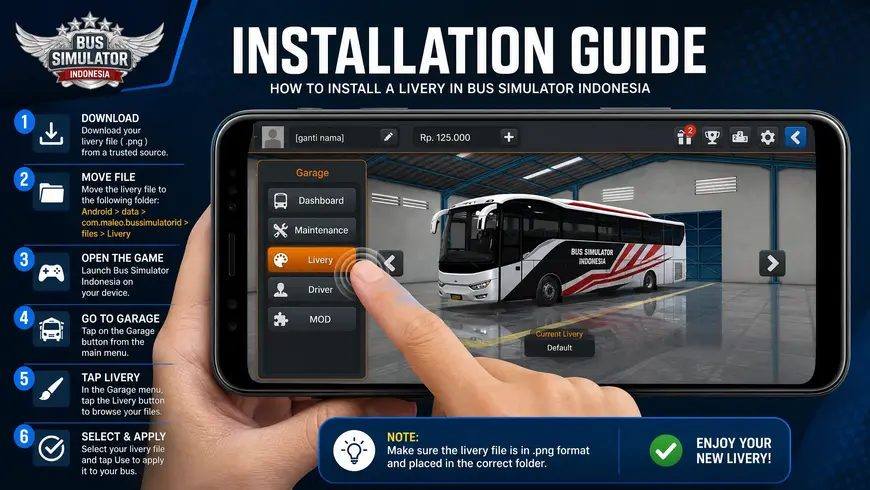
Installing a BUSSID PNG livery takes only a few minutes. Follow these steps to apply your new bus skin.
Best BUSSID Mods That Match These Liveries
A good livery looks even better with the right BUSSID mod. Matching your bus skin with compatible upgrades creates a more realistic driving experience.
Bus Mods
Bus mods add new vehicles such as Jetbus, SHD, XHD, SDD, and Tronton models. Choose a livery that matches your mod for the best fit.
Map Mods
Map mods add new routes across Java, Sumatra, mountain roads, and off-road tracks. They give you fresh places to drive your custom buses.
Sound Mods
Sound mods replace the default engine audio with more realistic bus sounds. They work well with modern coach and tourism bus mods.
Horn Mods
Horn mods include popular Indonesian bus horns and custom audio packs. Many players pair them with PO bus liveries.
Interior Mods
Interior mods upgrade the dashboard, seats, steering wheel, and cabin details. They help your bus feel more realistic from the driver’s seat.
Air Suspension
Air suspension mods add smooth height adjustments and suspension effects. They are popular for Pariwisata and executive buses.
DOP Kits
DOP kits improve your bus with custom bumpers, side skirts, lights, and exterior details. They give your vehicle a sportier look.
Tameng Accessories
Tameng accessories add decorative front panels with custom text and graphics. They are common on Indonesian buses and match many BUSSID liveries.
Edit Your Own BUSSID Livery
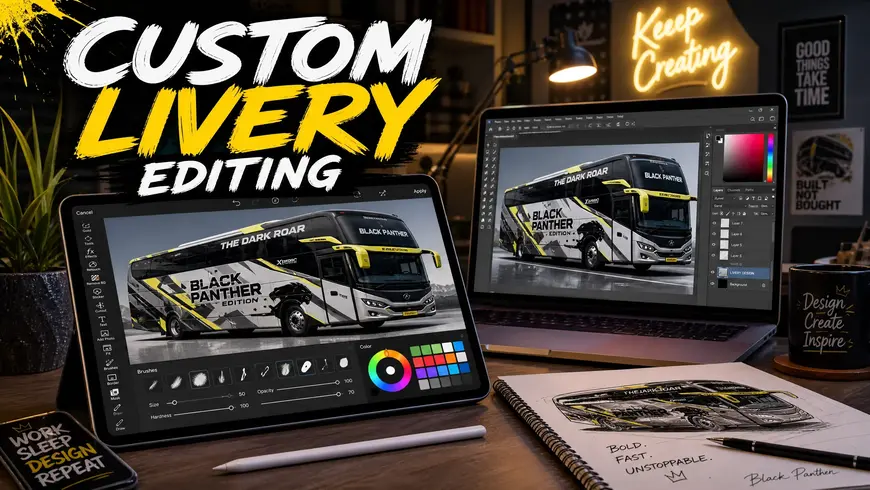
Creating your own BUSSID livery lets you build a design that matches your style. You can start with an official template and edit it using your favorite graphics app.
Photoshop
Adobe Photoshop gives you full control over colors, logos, and effects. It works best with layered PSD templates.
PicsArt
PicsArt is a great choice for Android users. It lets you edit BUSSID PNG files and add text, stickers, or custom graphics.
MediBang Paint
MediBang Paint offers simple editing tools with layer support. Many beginners use it to create clean livery designs.
PSD Templates
PSD templates include organized layers for different bus parts. They make it easier to edit windows, body panels, and decals without affecting the whole design.
PNG Templates
PNG templates work well if you need a quick edit. You can change colors, add logos, and save the finished design before importing it into BUSSID.
Tips for Choosing the Right BUSSID Livery
The right Bus simulator indonesia livery should match both your bus and your playing style. Keep these tips in mind before downloading.
Common Problems and Fixes
Most BUSSID livery issues are easy to solve. Check these quick fixes before downloading another file.
Livery Not Loading
Make sure you selected the correct PNG file from your device gallery. Restart the game if the livery doesn’t appear.
PNG Not Supported
BUSSID only accepts valid PNG images. If the file won’t open, download it again from a trusted source.
Blurry Skin
Use a high-resolution BUSSID PNG livery. Low-quality images often look blurry when applied to the bus.
Wrong Bus Model
A livery only fits its supported bus model. Always match the file with your HD, SHD, XHD, SDD, or Jetbus bus.
Update Compatibility
Some older liveries may not work after a BUSSID update. Download the latest version of the livery if you notice display issues.
Frequently Asked Questions
What is a BUSSID livery?
A BUSSID livery is a custom bus skin that changes your bus’s appearance. It does not change gameplay or performance.
How do I download BUSSID liveries?
Download a compatible BUSSID PNG livery from a trusted website. Save the file to your Android device before importing it into the game.
Are BUSSID liveries free?
Yes. Most Bus Simulator Indonesia liveries are free to download and use.
Which livery works with SHD buses?
Use a livery made specifically for SHD buses. Files designed for other models may not fit correctly.
How do I install a PNG livery?
Open BUSSID, go to Garage, tap Livery, select Device Gallery, choose the PNG file, and save the changes.
Can I create my own livery?
Yes. You can design your own livery with Photoshop, PicsArt, or MediBang Paint using a BUSSID template.
What is the difference between a livery and a mod?
A livery changes the bus’s design. A mod adds a new bus or extra game features.
Which PO liveries are the most popular?
Popular choices include Sugeng Rahayu, Sinar Jaya, Haryanto, ALS, Gunung Harta, EKA, and Harapan Jaya.
Can I use custom liveries on Android?
Yes. BUSSID supports custom PNG liveries on Android through the Garage menu.
Do liveries work after game updates?
Most do. If a livery stops working, download an updated version that matches the latest BUSSID release.
Conclusion
A good Bus Simulator Indonesia livery makes every trip more enjoyable. You can choose from real PO bus designs, tourism coaches, executive buses, or creative custom themes. With so many options available, it’s easy to build a garage that matches your style. Before you download BUSSID livery files, check the bus model and make sure the PNG matches your HD, SHD, XHD, SDD, Jetbus, or other supported vehicle. Using the correct file gives you a clean fit and the best visual quality. Keep exploring new BUSSID liveries as the community releases fresh designs. Whether you prefer Sugeng Rahayu, Sinar Jaya, Haryanto, or your own custom creation, the right livery adds a personal touch to every drive.