
Bus Simulator Indonesia : Complete Guide to Gameplay, Mods, Maps, Liveries & Multiplayer
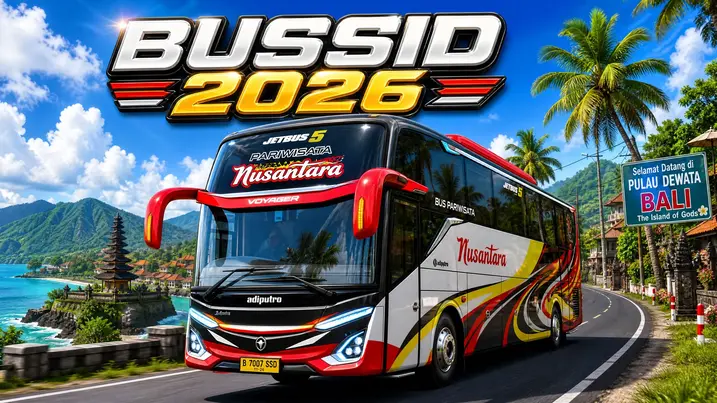
Bus Simulator Indonesia (BUSSID) has become one of the most popular Android bus driving games. Developed by Maleo, the game brings authentic Indonesian roads, buses, and driving culture to mobile devices. Players can drive across cities, transport passengers, and build their virtual bus company. BUSSID stands out with realistic controls, detailed environments, and extensive vehicle customization. Its active modding community keeps the experience fresh with new buses, maps, liveries, and sounds. Many players enjoy offline driving, while others join multiplayer convoys with friends. The game also supports custom content, making every player’s garage unique. This guide covers gameplay, vehicles, mods, maps, liveries, multiplayer, and useful driving tips. You will also learn safe customization methods, performance settings, and beginner-friendly strategies. Whether you are new or experienced, this guide helps you enjoy Bus Simulator Indonesia with confidence.
What Is Bus Simulator Indonesia?
Bus Simulator Indonesia, or BUSSID, is a mobile driving simulator based on Indonesia’s roads and bus culture. Maleo developed the game and released it for Android in 2017. The studio continues to add new content and gameplay improvements. The game lets you drive buses across cities, highways, villages, and mountain routes. You transport passengers, earn money, and expand your garage. Unlike many mobile simulators, Bus Simulator Indonesia includes authentic Indonesian buses, landmarks, and traffic conditions. Players can create custom liveries, install vehicle mods, and drive buses from popular builders like Adiputro and Laksana. The active BUSSID community shares thousands of bus mods, truck mods, maps, and horn packs every year. More than 100 million Android users have downloaded the game through Google Play. Its mix of realistic driving, creative freedom, and regular updates keeps players returning.
Main Features
Realistic Indonesian Roads
Drive through busy cities, quiet villages, mountain roads, and scenic highways inspired by real Indonesian locations.
Passenger Transport System
Pick up passengers, complete routes, and earn in-game money for new buses and upgrades.
Realistic Bus Driving
Control steering, braking, acceleration, lights, wipers, and camera views for a convincing driving experience.
Open-World Exploration
Travel freely across different regions without following a fixed route in Free Mode.
Offline Gameplay
Play most game modes without an internet connection, making BUSSID suitable for travel or limited data plans.
Online Multiplayer
Join convoy sessions, drive with friends, and meet other players through the game’s multiplayer mode.
Vehicle Mod Support
Import custom buses, trucks, cars, and motorcycles using the built-in vehicle mod system.
Custom Livery Editor
Design unique paint schemes or install community-made liveries to personalize every vehicle.
Om Telolet Om Horns
Use the famous Indonesian bus horn sounds that became popular with players around the world.
Why BUSSID Is Different from Other Bus Simulator Games
Many mobile driving games offer buses and open roads. Bus Simulator Indonesia goes further with authentic Indonesian culture and strong customization. The game recreates local buses, cities, road signs, and driving habits. That local identity makes BUSSID feel different from generic simulators. Players can also install custom buses, trucks, cars, motorcycles, and maps without complex tools. The built-in vehicle mod system supports this flexibility.
BUSSID vs. Truck Simulator Indonesia
Both games come from Maleo and feature Indonesian roads. They focus on different driving experiences. Truck Simulator Indonesia centers on cargo delivery and heavy trucks. BUSSID focuses on passenger transport and bus management. BUSSID also offers custom liveries, Indonesian buses, and an active bus mod community. Players who enjoy buses usually prefer these features.
BUSSID vs. Euro Truck Simulator 2
Euro Truck Simulator 2 delivers a realistic PC trucking experience across Europe BUSSID targets Android users who want quick access without expensive hardware. ETS2 features larger maps and advanced logistics. BUSSID shines with mobile-friendly controls, custom liveries, and Indonesian bus culture.
BUSSID vs. Bus Simulator 21
Bus Simulator 21 delivers detailed graphics and licensed buses on PC and consoles. BUSSID gives mobile players many customization options, including vehicle mods and convoy driving. The game also runs well on many Android devices. That wider compatibility attracts a larger mobile audience.
BUSSID vs. Other Android Bus Simulators
Many Android bus games offer basic routes and limited customization. BUSSID includes authentic Indonesian cities, Om Telolet Om horns, leaderboard support, vehicle mods, and online convoy multiplayer. Its active community also creates fresh liveries, maps, and buses throughout the year.
Feature Comparison
| Feature | BUSSID | Truck Simulator Indonesia | Euro Truck Simulator 2 | Bus Simulator 21 |
| Graphics | Detailed mobile graphics | Detailed mobile graphics | High-end PC graphics | High-end console and PC graphics |
| Vehicle Customization | Extensive | Moderate | Good | Good |
| Mod Support | Built-in vehicle mods | Limited | Large PC mod community | Limited |
| Indonesian Culture | Excellent | Excellent | No | No |
| Offline Gameplay | Yes | Yes | Yes | Yes |
| Online Multiplayer | Convoy mode | Limited | Community mods | Official multiplayer |
| Device Support | Android | Android | PC | PC and consoles |
If you want realistic Indonesian bus driving with deep customization, Bus Simulator Indonesia remains one of the strongest choices for Android players.
Gameplay Overview
BUSSID offers several game modes for different play styles. Career Mode gives the best sense of progress. It rewards careful driving and smart money management.
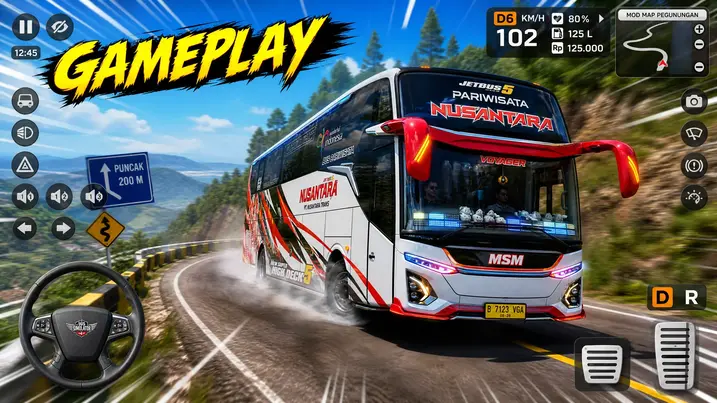
Career Mode
Career Mode starts with a basic bus and a small budget. Every trip helps you build your transport business. You accept passenger routes across Indonesian cities and highways. Each completed mission earns rewards based on your driving performance. Safe driving brings better results. Avoid collisions, traffic violations, and sudden braking to protect your earnings. Every successful trip adds in-game money to your account. You can spend it on new buses, upgrades, and customization options. Longer routes usually pay more. They also test your driving skills on busy roads and winding mountain passes. As your income grows, you unlock better vehicles with improved handling and fresh designs. Popular choices include Jetbus, SHD, and Double Decker models. Progress also opens new routes and driving opportunities. Each milestone gives players another goal to chase. Custom liveries and vehicle mods let you personalize your growing fleet. These options keep Career Mode fresh even after many hours. Managing your money matters as much as driving well. Smart upgrades help you complete tougher routes with greater confidence. Career Mode gives every trip a purpose. That steady progression keeps many BUSSID players coming back for another drive.
Free Mode
Free Mode lets you drive without missions or time limits. You choose your route and travel at your own pace. This mode suits players who want a relaxed driving experience. You can enjoy the scenery without worrying about rewards. New players often use Free Mode to learn the controls. It builds confidence before starting Career Mode. Practice steering, braking, parking, and cornering on different road types. Regular practice improves your driving skills. Switch between camera views to find the angle that feels most comfortable. This helps during tight turns and busy traffic. Free Mode also helps you understand bus handling. Each vehicle responds differently on highways and mountain roads. You can explore authentic Indonesian locations inspired by real cities and regions. Busy streets, rural roads, and scenic routes create varied driving experiences. Visit areas based on Jakarta, Surabaya, Yogyakarta, and other well-known destinations. Each route offers different traffic patterns and road conditions. Custom maps add even more places to explore. Many players install Sumatra, Java, Bali, and off-road map mods for fresh challenges. Free Mode also gives you a safe place to test new buses, custom liveries, and vehicle mods before using them in other game modes.
Tour Mode
Tour Mode recreates the experience of driving a charter bus across Indonesia. It suits players who enjoy longer and more relaxed journeys. You transport tourist groups between popular destinations instead of following regular passenger routes. The mode features scenic roads, highways, and mountain passes. Every trip feels different because of changing landscapes and traffic. Long-distance driving requires steady control and careful planning. Sharp turns, busy intersections, and narrow roads test your driving skills. You also learn how different buses handle over extended routes. Larger buses may need extra care on steep climbs and tight corners. Many players choose premium buses like Jetbus, SHD, or Double Decker models for tour services. These vehicles offer a realistic touring experience. Custom liveries let you create buses that match real Indonesian tour operators. This adds a personal touch to every trip. Tour Mode also gives you time to enjoy detailed environments and famous landmarks. The slower pace makes each journey more immersive. Players who enjoy realistic bus driving often spend hours exploring new routes in this mode. It rewards patience instead of speed. If you prefer scenic travel over quick missions, Tour Mode offers one of the most enjoyable experiences in Bus Simulator Indonesia.
Passenger Transport
Passenger Transport forms the core of the Bus Simulator Indonesia livery experience. Every successful trip helps you grow your transport business. Your journey begins at a designated bus stop or terminal. Wait for passengers before starting the route. Follow the marked route to reach each destination safely. Careful driving keeps passengers satisfied throughout the trip. Traffic, intersections, and changing road conditions make every route feel different. Good control helps you avoid delays and accidents. Longer routes usually offer higher rewards. They also demand more focus and better driving skills. Completing trips earns in-game money. You can use these earnings to buy new buses and upgrades. A larger budget unlocks better vehicles with improved performance and fresh designs. Popular choices include Jetbus, Adiputro, SHD, and Double Decker models. Custom liveries help your fleet stand out during passenger services. Many players also install bus mods to expand their vehicle collection. Driving smoothly protects your earnings. Hard braking and collisions can reduce your final reward. Passenger Transport creates a clear sense of progress. Every completed route brings you closer to building a successful bus company.
Vehicles Available in BUSSID
Bus Simulator Indonesia offers a wide range of vehicles for different driving styles. You can expand your garage as you earn more money or install vehicle mods. Many buses take inspiration from real Indonesian designs. They feature detailed interiors, realistic dashboards, and customizable exteriors. Each bus handles differently on city streets, highways, and mountain roads. Choosing the right vehicle can improve your driving experience.
Standard Buses
Standard buses serve as the backbone of the BUSSID fleet. They suit daily passenger routes, long-distance travel, and charter services.
Jetbus
Jetbus models rank among the most popular choices in the game. They offer modern styling, spacious interiors, and stable handling. Many players install custom Jetbus mods and liveries to match real Indonesian operators.
SHD
SHD, or Super High Deck, buses feature raised cabins and large windshields. They provide excellent road visibility during long journeys. These buses perform well on highways and intercity routes.
JB3+
JB3+ buses combine sleek styling with practical performance. Their modern design makes them a favorite within the BUSSID community. Players often customize JB3+ models with LED lights, custom wheels, and unique paint schemes.
Double Decker
Double Decker buses carry more passengers and create an impressive road presence. Their taller design stands out on busy highways. Driving these buses requires extra care on narrow roads and sharp turns.
Adiputro
Adiputro is one of Indonesia’s best-known bus body manufacturers. Many BUSSID vehicles take inspiration from its popular designs. Adiputro buses attract players who enjoy realistic Indonesian bus culture.
Laksana
Laksana produces stylish and comfortable buses for intercity travel. Its designs appear in many BUSSID mods and custom liveries. These buses blend modern looks with dependable handling, making them a popular choice for Career Mode and Tour Mode. As you progress, you can unlock new buses or install community-made mods. That flexibility gives every player the freedom to build a unique fleet.
Truck Mods
Truck mods bring new driving styles and fresh challenges. You can drive cargo trucks, container trucks, fuel tankers, logging trucks, and heavy-duty vehicles. Many community creators design trucks inspired by Hino, Mercedes-Benz, Scania, and Volvo models. Each truck features its own cabin, dashboard, engine sound, and handling. Some mods also include custom animations and accessories. Players often pair truck mods with custom maps for a more varied driving experience.
Cars
Cars offer a fun change from large buses and trucks. They suit players who prefer smaller vehicles and quicker handling. The BUSSID community has created hundreds of custom car mods. You can find family cars, sports cars, SUVs, pickup trucks, and luxury vehicles. Many car mods include realistic interiors, working lights, custom wheels, and detailed dashboards. Cars perform well on city streets and narrow roads where larger vehicles need more space.
Motorcycles
Motorcycle mods add another way to enjoy Bus Simulator Indonesia. Their compact size makes them easy to control in busy traffic. Players can ride scooters, sport bikes, touring motorcycles, and off-road bikes created by the community. Motorcycles accelerate quickly and handle tight corners with ease. They also offer a fresh view of Indonesian roads. Many creators add custom paint schemes, helmets, and engine sounds for extra realism.
Special Vehicles
The BUSSID mod community continues to expand with creative vehicle designs. Players can install many unique vehicles beyond buses. Popular choices include police vehicles, ambulances, fire engines, construction equipment, and service trucks. Some creators even build tractors, military vehicles, airport transport, and fantasy-themed vehicles for entertainment. These mods let players experiment with different driving experiences while exploring maps or creating custom gameplay scenarios. The official vehicle mod system gives creators the tools to build and share custom vehicles with the BUSSID community.
BUSSID Mods Explained
Mods are custom files that add new content to Bus Simulator Indonesia. They let you expand the game beyond the default vehicles and maps. BUSSID supports vehicle mods through its built-in mod system. Compatible files usually use the .bussidmod or .bussidvehicle format. The modding community creates thousands of buses, trucks, cars, motorcycles, maps, liveries, sounds, and accessories. New content appears regularly, giving players fresh ways to enjoy the game.
Why Players Use BUSSID Mods
Mods make every garage feel unique. You can drive vehicles that match your personal style. Many players download Jetbus, SHD, JB3+, and Double Decker models inspired by real Indonesian buses. Others install truck mods, motorcycle mods, or car mods for a different driving experience. Custom liveries let you recreate real bus operators or design your own paint schemes. Map mods introduce new highways, mountain roads, villages, and off-road routes. These additions keep gameplay interesting after completing the default content. Sound mods add realistic engine audio, air brakes, and popular Om Telolet Om or Basuri horn effects. Many players also enjoy testing new vehicles before sharing screenshots or convoy sessions with the BUSSID community.
Safety Tips Before Installing Mods
Download mods from trusted creators and well-known BUSSID websites. This lowers the risk of damaged or unsafe files. Check that every mod supports your current game version. Older files may not work correctly after updates. Back up your game data before adding large mod collections. A backup helps you recover if problems appear. Avoid changing core game files unless you understand the process. The official mod system handles compatible vehicle files safely. Install only a few new mods at a time. This makes it easier to find conflicts if the game crashes. Remove outdated or unused mods to keep the game running smoothly. A well-managed mod library gives you better performance, fewer errors, and a more enjoyable BUSSID experience.
Bus Mods
Bus mods remain the most popular downloads in the BUSSID community. They add new vehicles with unique designs and driving characteristics. You can install city buses, luxury coaches, sleeper buses, school buses, and intercity models. Many creators build buses inspired by Jetbus, Adiputro, Laksana, SHD, and JB3+ designs. High-quality mods often include realistic dashboards, working animations, custom sounds, and detailed interiors. Many players also pair bus mods with custom liveries for a more authentic Indonesian look.
Truck Mods
Truck mods bring cargo transport into Bus Simulator Indonesia. They offer a different driving experience from passenger buses. Popular choices include container trucks, fuel tankers, logging trucks, dump trucks, and trailer trucks. Many mods take inspiration from Hino, Mercedes-Benz, Scania, and Volvo trucks. These vehicles feature custom cabins, engine sounds, lights, and accessories. Truck mods work well with mountain roads and long-distance map mods.
Car Mods
Car mods let you explore Indonesian roads with smaller vehicles. They offer faster acceleration and easier handling. The community creates sedans, hatchbacks, SUVs, pickup trucks, sports cars, and luxury vehicles. Many car mods include custom interiors, working lights, detailed wheels, and realistic dashboards. Cars work well for city driving and map exploration.
Motorcycle Mods
Motorcycle mods add speed and agility to the game. They give players a fresh way to explore BUSSID maps. You can choose from scooters, sport bikes, touring motorcycles, and off-road bikes. Many motorcycle mods include custom paint, engine sounds, and rider animations. Their compact size makes busy streets easier to navigate.
Mod Installation
Installing mods takes only a few minutes when you use the official vehicle mod system.
Follow these steps:
If a mod does not load, check that it supports your current BUSSID version. Older files may stop working after game updates. The official mod system also works best with files from trusted creators.
BUSSID Livery Guide
A livery changes the appearance of your vehicle without changing its performance. It adds colors, logos, graphics, and branding to make each bus look unique. Custom liveries are one of the biggest reasons players enjoy Bus Simulator Indonesia. Thousands of community-made designs are available for free. Many liveries copy real Indonesian bus operators. Others feature creative artwork, sports themes, anime characters, or modern graphics. You can apply a livery to buses, trucks, cars, and other supported vehicles. Many vehicle mods also include matching liveries. A well-designed livery gives your garage a personal style. It also makes your vehicle stand out during multiplayer convoy sessions.
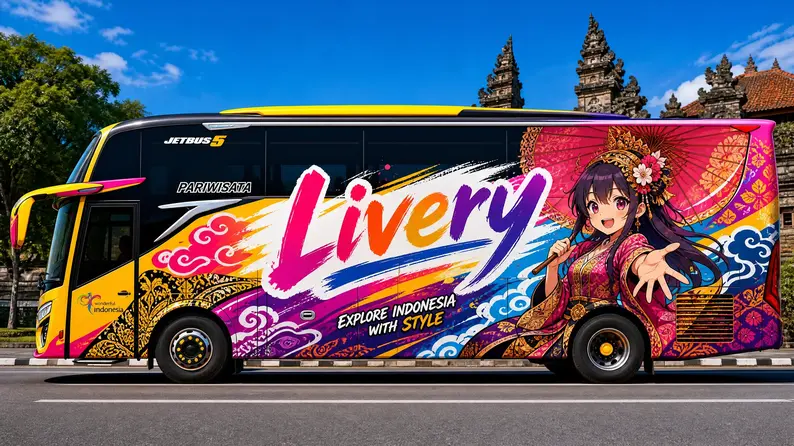
Installing Liveries
Installing a BUSSID livery is simple. Most liveries come as image files in PNG format.
Follow these steps:
Some premium vehicle mods include their own custom liveries. Check the creator’s instructions before installing them.
Creating Custom Liveries
Creating your own livery lets you build a unique bus design. Many players use image editors like Photoshop, GIMP, or Canva. Start with the correct livery template for your bus model. Templates help you place graphics in the right positions. Choose colors that match your design. Keep logos and text easy to read. Use high-resolution images for a cleaner finish. Blurry graphics can reduce the overall quality. Preview your work before saving the final PNG file. Small adjustments often improve the finished design. Many BUSSID creators share free templates and design resources with the community. The official mod documentation also explains how vehicle templates work.
Popular Bus Designs
Real Indonesian operator liveries remain the most popular choice. They give buses an authentic appearance. Many players create liveries inspired by Adiputro and Laksana bus bodies. Jetbus, SHD, and JB3+ models receive thousands of custom paint designs every year. Tour buses often feature bright colors, bold graphics, and large company logos. = Minimal black, white, and silver designs also attract players who prefer a clean look. Some creators design seasonal liveries for holidays and community events. Others recreate famous Indonesian bus companies with accurate colors and branding. A high-quality livery adds personality to your vehicle and makes every trip more enjoyable.
Maps in Bus Simulator Indonesia
Maps play a major role in the Bus Simulator Indonesia experience. They create fresh driving challenges and showcase Indonesia’s diverse landscapes. The game includes official routes inspired by real cities and regions. The BUSSID community also builds custom maps with unique roads and scenery. Each map offers different traffic conditions, road layouts, and driving challenges. Switching maps keeps every journey interesting.
Official Maps
Official maps recreate well-known Indonesian locations with recognizable landmarks and road networks. Maleo continues to improve these maps through game updates.
Jakarta
Jakarta delivers a busy urban driving experience. You will encounter heavy traffic, wide roads, intersections, and city landmarks. Many players enjoy driving near areas inspired by Monas and other famous locations.
Surabaya
Surabaya features broad highways and busy city streets. Routes inspired by the Suramadu Bridge create memorable long-distance trips. Traffic density changes throughout the map, making every journey feel different.
Yogyakarta
Yogyakarta combines city roads with cultural landmarks. Areas inspired by Malioboro Street and Tugu Yogyakarta attract many players. This map suits drivers who enjoy relaxed city exploration.
Sumatra Maps
Sumatra map mods rank among the most downloaded BUSSID creations. They feature steep climbs, winding roads, and dramatic scenery. Kelok Sembilan challenges drivers with sharp curves and elevated roads. Careful steering helps you stay in control. Sitinjau Lauik is famous for its steep hills and tight corners. Many experienced players test their driving skills on this demanding route. These maps work well with intercity buses and heavy truck mods.
Java Maps
Java maps combine crowded cities, highways, villages, and scenic countryside. Players can travel through long intercity routes with changing traffic and weather conditions. Many custom Java maps include bus terminals, toll roads, and realistic roadside buildings. These routes suit Career Mode, Free Mode, and multiplayer convoy sessions.Players can travel through long intercity routes with changing traffic and weather conditions. Many custom Java maps include bus terminals, toll roads, and realistic roadside buildings. These routes suit Career Mode, Free Mode, and multiplayer convoy sessions.
Bali Maps
Bali maps focus on beautiful coastal roads and tourist destinations. Palm trees, beaches, and mountain views create a relaxing driving experience. Many players choose Tour Mode while exploring Bali because of its scenic routes. Custom Bali maps often include hotels, temples, and popular tourist areas.
Extreme Maps
Extreme maps push your driving skills to the limit. They reward patience and careful vehicle control. Off-road maps feature narrow tracks, rocky paths, and uneven surfaces. Mud road maps reduce tire grip and make steering more difficult. Heavy rain can increase the challenge. Mountain roads include steep climbs, sharp hairpin turns, and deep valleys. Large buses need extra space when cornering. Many players install extreme maps to test new buses, truck mods, and custom vehicle setups. If you enjoy realistic driving challenges, these maps deliver some of the most exciting experiences in BUSSID.
Multiplayer Mode
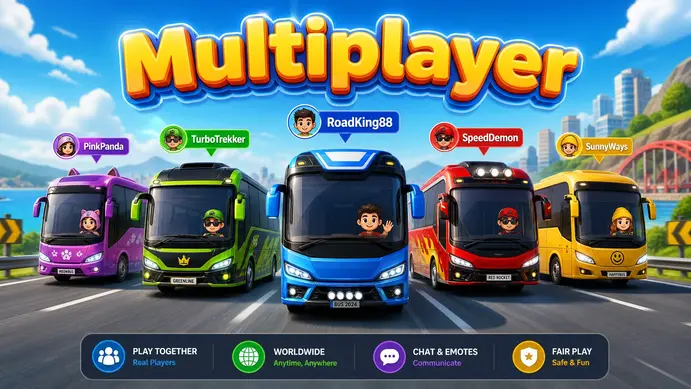
Multiplayer Mode lets you drive with players from around the world. It adds a social element to Bus Simulator Indonesia beyond solo gameplay.
Convoys
Convoys are one of the most popular multiplayer activities. Players drive together while following the same route. Many convoy groups choose matching buses and custom liveries. This creates a realistic fleet on the road. Convoy driving also improves coordination and safe driving habits. Keeping the correct distance makes every trip smoother.
Playing with Friends
You can join friends in the same online session and explore maps together. Many players organize group trips across city roads, highways, and mountain routes. Friends often test new bus mods, compare liveries, and visit custom maps during convoy events. Driving together makes long routes more enjoyable and creates memorable moments.
Online Play
Online multiplayer supports live interaction with other BUSSID players. You can meet new drivers, join public sessions, or create private games. A stable internet connection gives the best multiplayer experience. Smooth gameplay helps every convoy stay organized. Many community events also take place in multiplayer mode. Players gather for virtual bus parades, driving challenges, and themed convoys.
Leaderboards
Leaderboards add a competitive side to the game. They encourage players to improve their driving skills and complete more activities. Many players compare achievements with friends and other community members. Regular gameplay helps you gain experience and improve your standing over time. Multiplayer Mode keeps BUSSID fresh by combining realistic driving with community interaction. It turns every journey into a shared experience instead of a solo trip.
Graphics & Performance Settings
The right graphics settings can improve your Bus Simulator Indonesia experience. A balanced setup gives smoother driving without sacrificing visual quality. Your ideal settings depend on your device’s processor, RAM, and display resolution. Test different options until you find the best balance.
Best Graphics Settings
High-end Android phones can run BUSSID with higher visual settings. For powerful devices, try these settings:
Mid-range phones work better with balanced settings. A recommended setup includes:
Entry-level devices should prioritize smooth gameplay. Use these settings:
Graphics Quality: Low
Test your settings during busy traffic and long routes. Stable performance matters more than maximum graphics.
Reduce Lag
Close unused apps before launching the game. This frees memory for smoother performance. Restart your phone before long gaming sessions. A fresh start clears temporary background processes. Keep enough free storage on your device. Low storage can slow game performance. Remove old or unused vehicle mods. Large mod collections can increase loading times. Use compatible mods built for your current BUSSID version. Outdated files may cause crashes or stuttering. Lower graphics settings if you notice frame drops in crowded areas. Update the game whenever a new version becomes available. Performance improvements often arrive with official updates.
Improve FPS
Higher frame rates make steering feel smoother and more responsive. Lower shadow quality first if FPS drops during gameplay. Shadows often use significant processing power. Reduce draw distance on older devices. This decreases the number of objects displayed at once. Limit the number of active mods during gameplay. Fewer loaded assets can improve performance. Avoid running screen recorders while playing. They can reduce frame rates on many devices. Keep your phone cool during long sessions. High temperatures may reduce performance automatically.
Battery Saving Tips
Lower screen brightness before starting the game. The display uses a large share of battery power. Choose Medium or Low graphics settings for longer play sessions. Turn off Wi-Fi or mobile data when playing offline. This reduces background activity. Close apps that continue running in the background. Avoid charging your phone while playing for long periods. Extra heat can affect both battery life and performance. Take short breaks during extended sessions. Your device stays cooler and maintains stable performance. A few small adjustments can keep Bus Simulator Indonesia running smoothly while extending battery life.
Customization Features
Customization is one of the biggest reasons players enjoy Bus Simulator Indonesia. It lets you build a vehicle that matches your style. You can change both the appearance and feel of your bus. Many options work with official vehicles and compatible mods.
Wheels
Custom wheels can change the overall look of your bus. Players choose different rim styles, sizes, and finishes. Many community mods include realistic wheel designs inspired by Indonesian buses. Choose wheels that match your livery for a cleaner appearance.
LED Lights
LED lights make buses look more modern, especially during night driving. Many players add LED strips around the headlights, cabin, dashboard, and underbody. Some vehicle mods include animated lighting effects for extra realism. Avoid installing too many visual effects on low-end devices. They can affect game performance.
Horns
The horn system adds another level of personalization. You can replace the default horn with custom sound packs. Many players install realistic air horns used by Indonesian buses. Different horn sounds help your vehicle stand out during convoy sessions.
Basuri Horn
The Basuri horn has become one of the most popular BUSSID customizations. Its musical sound has gained attention across the Indonesian bus community. Many creators release Basuri DJ horn packs with different melodies and sound effects. Download horn files only from trusted creators to avoid compatibility issues.
Dashboard
The dashboard gives you a first-person view while driving. A detailed dashboard makes the experience more realistic. Many bus mods include custom steering wheels, digital displays, gauges, and switch panels. Some dashboards also feature working animations and improved interior textures.
Spoilers
Spoilers add a sporty appearance to your bus. They also help recreate the look of real Indonesian coach buses. Players often combine spoilers with custom liveries and LED lighting. Small design changes can make a standard bus look completely different.
Mufflers
Custom mufflers improve the appearance of the rear section of your vehicle. Many creators design chrome, dual-exit, and performance-style exhaust systems. Some vehicle mods also include custom engine and exhaust sounds.
Bumpers
Custom bumpers give your bus a more aggressive or premium appearance. Players can choose from simple factory designs or detailed aftermarket styles. Many bumpers include extra lights, fog lamps, and decorative trim. Matching the bumper with your livery, wheels, and spoiler creates a balanced design. The wide range of customization options makes BUSSID one of the most flexible Android bus simulator games. Players can create vehicles that reflect real Indonesian buses or completely original designs.
Om Telolet Om & Basuri Horn
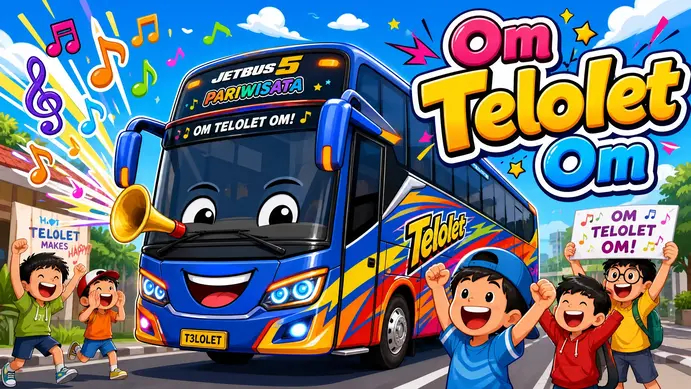
Om Telolet Om is one of the most recognizable parts of Bus Simulator Indonesia. It reflects a real trend that started on Indonesian roads before becoming popular worldwide.
What Does “Om Telolet Om” Mean?
In Indonesian, “Om” means uncle. “Telolet” imitates the sound of a bus horn. Children often stand beside roads and ask bus drivers to sound their musical horns by shouting, “Om Telolet Om!” The phrase became widely known after videos of these moments spread across social media. It even attracted attention from international musicians and celebrities. BUSSID includes this tradition to make the driving experience feel closer to real Indonesian bus culture.
The Origin of Basuri Horns
A Basuri horn is an electronic air horn that plays musical melodies instead of a single tone. Many Indonesian bus operators install these horns on real buses. Their unique sound has become part of modern bus culture. As their popularity grew, the BUSSID community began creating digital Basuri horn packs for the game. Today, many players consider these horns an essential part of the BUSSID experience.
Why Players Love These Horns
Custom horns make every vehicle feel different. Many players collect multiple horn packs and switch between them during convoy sessions. Musical horns also make multiplayer events more entertaining. Players often greet each other with different melodies. Many content creators feature Basuri horns in gameplay videos, helping them reach even larger audiences.
BUSSID Horn Mods
Horn mods let you replace the default horn with custom sounds.
Popular choices include:
Most horn mods install quickly and work alongside vehicle mods and custom liveries. Download horn files only from trusted BUSSID creators. Compatible files reduce the chance of errors after game updates. If you enjoy customizing your vehicles, Basuri and Om Telolet Om horn mods add personality to every drive while celebrating a unique part of Indonesia’s bus culture.
How to Install BUSSID Mods
Installing mods in Bus Simulator Indonesia is simple when you use compatible files. The official mod system supports custom vehicles without changing the game’s core files.
Step 1: Download the Mod
Download a compatible bussidmod or .bussidvehicle file. Check that the mod matches your current BUSSID version. Older files may not work after game updates. Avoid modified APK packages. Download the official game from Google Play and install only compatible mods.
Step 2: Locate the Downloaded File
Open your phone’s File Manager. Go to the Downloads folder or the location where you saved the mod. Keep the original file name unchanged. Renaming some files may create import problems.
Step 3: Import the Mod
Launch Bus Simulator Indonesia.Open the Garage menu. Tap the Import or Mod option. Browse to the downloaded file. Select the mod and start the import process. Wait until the game finishes loading the vehicle.
Step 4: Activate the Vehicle
Open your garage after the import finishes. Select the newly imported vehicle. Apply a custom livery if one comes with the mod. Save your changes before starting a route.
Step 5: Test the Mod
Start Free Mode or another game mode. Drive the vehicle for a few minutes. Check the steering, lights, dashboard, engine sounds, and animations. If the vehicle works correctly, the installation is complete.
Check Mod Compatibility
Always read the creator’s notes before installing a mod. Some mods require the latest BUSSID update. Older mods may show missing textures, broken animations, or import errors. Remove incompatible files before installing updated versions.
Back Up Your Save Data
Create a backup before adding several mods. A backup protects your progress if a mod causes problems. Store the backup in cloud storage or another safe location.
Download Mods Safely
Choose well-known BUSSID communities and trusted creators. Read user reviews before downloading new files. Scan downloaded files with mobile security software if possible. Avoid websites that ask you to install unrelated apps before downloading. A carefully selected mod library gives you better stability, smoother gameplay, and fewer compatibility issues.
Best BUSSID Tips for Beginners
Starting Bus Simulator Indonesia is easy, but a few smart habits can improve your driving from the first trip.
Learn the Driving Controls
Spend time in Free Mode before accepting passenger routes. Practice steering, acceleration, braking, and reversing until they feel natural. Try both tilt and on-screen controls. Use the option that gives you better control.
Brake Smoothly
Avoid sudden braking whenever possible. Slow down before sharp turns and busy intersections. Gentle braking keeps your bus stable and creates a more realistic driving experience. It also helps you avoid accidents and complete trips safely.
Manage Fuel Wisely
Keep an eye on the fuel gauge during long routes. Refuel before starting extended trips to avoid unnecessary stops. Plan your routes carefully if you want to maximize your earnings.
Find the Best Camera Angle
BUSSID offers several camera views. The cockpit view gives the most realistic driving experience. The third-person view provides better visibility in heavy traffic. Switch between views when parking or driving through narrow roads.
Earn Money Faster
Complete passenger routes instead of skipping missions. Long-distance trips usually offer better rewards. Drive safely to avoid penalties that reduce your income. Save your money before buying expensive buses. Upgrade your fleet gradually as your earnings increase.
Choose the Right First Bus
Start with a reliable bus that offers balanced handling. Focus on stability instead of appearance during the early stages. As your budget grows, consider upgrading to popular models like Jetbus, SHD, or JB3+. These buses perform well on city roads and long-distance routes.
Practice Before Installing Mods
Learn the game’s basic mechanics before adding vehicle mods. Driving the default buses helps you understand how the game handles. You can explore custom buses, trucks, and maps after gaining more experience.
Drive Patiently
Do not rush every trip. Smooth steering, careful braking, and steady speeds produce better results than aggressive driving. Patience also helps you build confidence on busy roads and mountain routes. These beginner tips make your first hours in Bus Simulator graphic guide Indonesia more enjoyable and prepare you for advanced gameplay, custom vehicles, and multiplayer convoys.
Common Problems & Solutions
Even a well-optimized game can run into technical issues. Most Bus Simulator Indonesia problems have simple fixes.
Game Crashes
Game crashes often happen after installing incompatible mods or using an outdated game version.
Solution:
- Update BUSSID to the latest version.
- Remove recently installed mods.
- Restart your device.
- Clear the game’s cache if the problem continues.
Lag
Lag can make steering slow and reduce the overall driving experience.
Solution:
- Lower the graphics settings.
- Close background apps before playing.
- Remove unused vehicle mods.
- Keep enough free storage on your device.
Black Screen
A black screen usually appears because of corrupted files or incompatible mods.
Solution:
- Restart the game.
- Update to the latest BUSSID version.
- Delete the mod that caused the issue.
- Reinstall the game if the problem continues.
Back up your save data before reinstalling.
Mods Not Working
Some mods stop working after game updates.
Solution:
- Check that the mod supports your current BUSSID version.
- Download the latest version from the original creator.
- Import the file again through the Garage menu.
- Remove duplicate or damaged mod files.
Multiplayer Issues
Online sessions may fail because of connection problems or server issues.
Solution:
- Use a stable Wi-Fi or mobile data connection.
- Restart the game before joining another session.
- Update the game if a new version is available.
- Ask your friends to use the same game version.
Storage Errors
Low storage can prevent new mods from loading and slow game performance.
Solution:
- Delete unused screenshots and videos.
- Remove old downloads and unused mods.
- Keep several gigabytes of free storage for updates.
- Move large personal files to cloud storage or another device.
Keep Your Game Running Smoothly
Install mods only from trusted BUSSID creators. Update the game whenever a new version becomes available. Back up your save data before adding many new vehicles or maps.Remove outdated files that you no longer use. These simple habits reduce errors and help Bus Simulator Indonesia run more smoothly over time.
Latest BUSSID Update (2026)
Bus Simulator Indonesia continues to receive updates that improve gameplay and add new content. Recent releases focus on realism, smoother performance, and a better multiplayer experience.
New Vehicles
Recent updates improve the default bus models with sharper interior and exterior details. These visual upgrades make buses look more realistic on every route. The BUSSID community also continues to release new vehicle mods, including Jetbus, SHD, JB3+, trucks, cars, and motorcycles. Many creators update their mods to match the latest game version.
Gameplay Improvements
The latest version introduces street-side passenger pickups. You can now pick up passengers along the road instead of stopping only at terminals. This feature creates a more authentic driving experience. Walking pedestrians now appear in towns and cities. These characters make the game world feel more active and realistic. Developers also refined bus interiors, dashboard details, and exterior textures for a cleaner visual experience.
Bug Fixes
The 2026 updates include stability improvements and general bug fixes. These changes reduce crashes and improve overall performance on supported devices. Many compatibility issues with newer mods and liveries have also been addressed through ongoing updates.
New Maps
The official game continues to support its existing Indonesian locations while the community expands the experience with new custom maps. Players regularly create routes based on Java, Sumatra, Bali, mountain roads, villages, and off-road environments. These maps add fresh driving challenges throughout the year.
New Customization
Customization remains one of BUSSID’s strongest features. Players can continue importing custom buses, trucks, cars, motorcycles, liveries, wheels, LED lights, dashboards, and Basuri horn packs through the official mod system. The improved vehicle models also make high-quality custom liveries appear sharper than before.
Multiplayer Improvements
Multiplayer sessions now benefit from better stability and smoother gameplay after recent optimizations. Players can organize convoy drives, test newly imported vehicles, and explore maps together with fewer interruptions. Keeping the game updated also improves compatibility between players during online sessions. Using the latest version helps reduce connection problems and supports the newest multiplayer features.
Is Bus Simulator Indonesia Safe?
Yes, Bus Simulator Indonesia is generally safe when you download it from official sources and use trusted mods. Following a few basic precautions helps protect your device and game data.
Download the Official Version
Download BUSSID from the official Google Play Store. Official releases receive security checks and regular updates from Maleo. Avoid unofficial websites that offer modified game files or outdated versions.
Understand APK Risks
Many websites distribute BUSSID Mod APKs with unlimited money or unlocked features. These files can contain malicious software, unwanted ads, or modified code that affects game stability. Modified APKs also miss official support and may stop working after updates. Choose the official game and use the built-in vehicle mod system instead of replacing the original application.
Install Mods Safely
The official mod system supports compatible .bussidmod and .bussidvehicle files without changing the game’s core files. This makes modding much safer than installing modified APKs. Download mods only from trusted creators and reputable BUSSID communities. Read comments or reviews before installing new files. Check that every mod supports your current game version.Remove outdated or damaged mods if they cause crashes or loading errors.
Protect Your Account and Progress
Keep Bus Simulator Indonesia updated to the latest version. Updates often include bug fixes and security improvements. Back up your save data before installing several new mods. Do not share your account information with unknown websites or third-party services. Avoid apps that promise free in-game currency or premium content. These offers often lead to scams or account theft. Use a screen lock and keep your Android device updated with the latest security patches.
Best Safety Practices
- Download BUSSID from the official Google Play Store.
- Avoid unofficial or modified APK files.
- Install mods from trusted creators.
- Check mod compatibility before importing files.
- Back up your save data regularly.
- Keep the game updated.
- Remove broken or outdated mods.
Following these simple steps lets you enjoy Bus Simulator Indonesia while reducing security risks and protecting your progress.
Frequently Asked Questions
What is Bus Simulator Indonesia?
Bus Simulator Indonesia (BUSSID) is an Android bus driving game by Maleo that lets you drive, customize buses, and explore Indonesian routes.
Is BUSSID free?
Yes. BUSSID is free to download and play on Android, with optional in-app purchases for extra content.
Can I play BUSSID offline?
Yes. You can enjoy Career Mode, Free Mode, and most single-player features without an internet connection.
Does BUSSID support multiplayer?
Yes. BUSSID includes online multiplayer, allowing you to join convoys, play with friends, and drive with other players.
How do I install BUSSID mods?
Import compatible .bussidmod or .bussidvehicle files through the Garage menu after downloading them from trusted sources.
What is the best bus in BUSSID?
Jetbus, SHD, and JB3+ are popular choices because they offer realistic designs, smooth handling, and wide mod support.
How do I download livery files?
Download PNG livery files from trusted BUSSID creators, then load them through the Livery option in the Garage menu.
Conclusion
Bus Simulator Indonesia remains one of the most popular Android driving simulators because it combines realistic gameplay with authentic Indonesian bus culture. Its detailed maps, diverse vehicles, custom liveries, multiplayer mode, and extensive mod support keep every journey fresh and enjoyable. Regular updates from Maleo and an active BUSSID community continue to add new vehicles, features, maps, and customization options. Whether you enjoy Career Mode, Free Mode, or convoy sessions, BUSSID offers a driving experience for every type of player. Explore new maps, try trusted mods, create unique liveries, and improve your driving skills with every trip. Keep your game updated, download content from reliable sources, and enjoy everything Bus Simulator Indonesia has to offer.