Bus Simulator Ultimate Global Offices: Build Your International Bus Empire
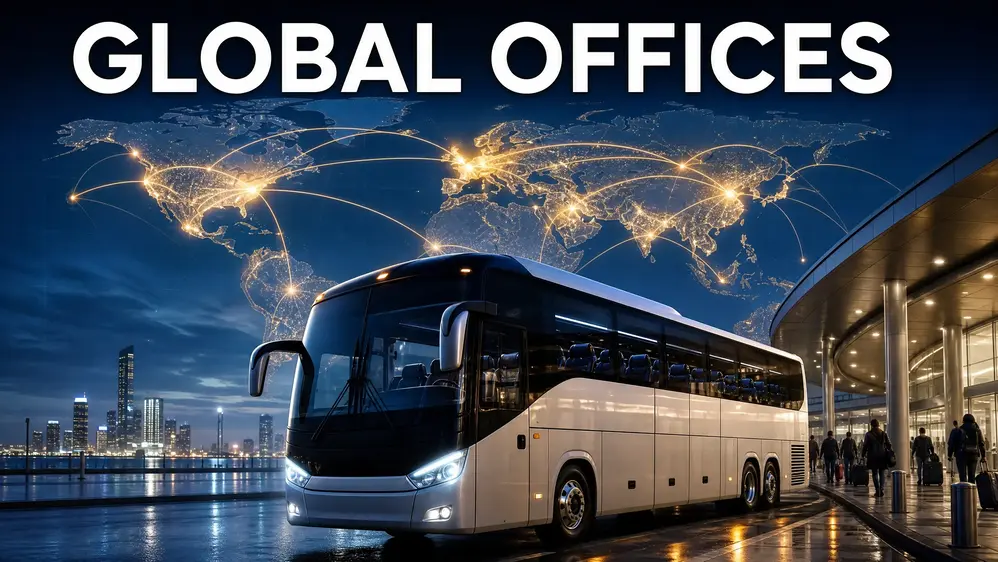
Bus Simulator Ultimate lets you grow a bus company across many locations worldwide. The game includes offices in many places, over 20,000 cities and counties, and more than 300 original terminals. Global Offices give your Bus Company a way to expand beyond its starting location. You can build routes, manage your fleet, hire employees, and grow your operation as your network expands. The goal goes beyond driving a single coach bus. You can work toward building a Global Bus Empire across different countries and regions. Your office choices can shape how your company grows. This guide explains Bus Simulator Ultimate offices, international expansion, route management, locations, company management, buses, and practical growth strategies.
What Are Global Offices in Bus Simulator Ultimate?
A Global Office represents a base for your bus company in the game. It gives your company a presence in different locations around the world. Zuuks Games confirms that players can build offices in many places worldwide. Your office works alongside your Bus Company and its route network. You can expand your company, manage operations, hire employees, and work toward a larger international network.
Office Expansion vs. Route Operation
Operating a route focuses on moving passengers between destinations. Office Expansion focuses on growing your company’s network. For example, one route connects two cities. A new office can give your company another base for future routes and expansion. This difference matters as your company grows. You are no longer managing only individual bus journeys. You are managing a wider transport business.
How Offices Support Company Management
Company Management becomes more important as your network grows. You need to consider your offices, buses, employees, and routes together. Zuuks Games describes the game as a company-building experience. Players can establish a company, expand their network, hire employees, and grow a large bus corporation. That makes Global Offices an important part of the game’s expansion system. Each new location can become part of your wider network. The goal is simple: start with a small operation, build useful connections, and grow toward a Global Bus Empire.
How the Office System Works
The office system turns your local bus operation into a wider transport network. Bus Simulator : Ultimate lets players build offices around the world and manage their own company. Your expansion starts with a location. From there, you can build routes and connect different cities. As your company grows, you can add offices in other regions and expand your network.
Open Your First Office
Start by choosing a location for your company. Your first office becomes the base for your early routes and operations. Focus on learning the route system before expanding too quickly. Build a few connections and understand how your company operates. The game focuses on company growth alongside intercity transportation. Zuuks Games describes the goal as building and expanding your own bus company. Your first office gives you a starting point for that growth.
Establish Offices in New Locations
Once you want to expand, choose another location that fits your network. Think about the connection before opening a new office. A useful location can give your company access to more cities and routes. Bus Simulator Ultimate lists many countries and regions with realistic cities and bus stations. These include the United States, Germany, Türkiye, South Korea, India, Brazil, Japan, and many others. This makes regional expansion a major part of building a worldwide bus company.
Connect Offices Through Routes
An office becomes more useful when it supports your route network. For example:
Office A → City B → Office C
You can then add more destinations around those locations as your network grows. Route Management should stay connected to your overall expansion plan. Avoid treating every new route as a separate project. A connected network gives your Bus Company a clearer structure. It also makes future expansion easier to plan.
Manage Multiple Offices
Managing several offices changes how you approach the game. You now need to think about routes, buses, employees, and company growth together. Zuuks Games confirms that the game includes company management, employee hiring, and offices in many locations worldwide. You can gradually move from one regional operation toward a wider international network. A simple expansion path looks like this:
First Office → Local Routes → New Office → Regional Network → International Network
Don’t rush through each stage. Build a stable network first, then use Office Expansion to grow your company further.
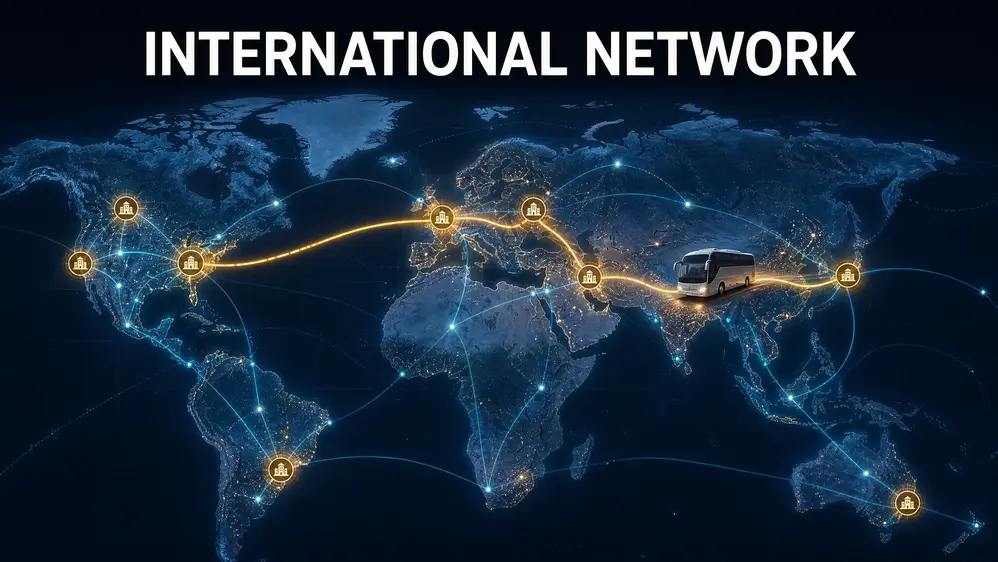
How to Build an International Network
Building an international network takes planning. You need connected routes, useful offices, and a clear expansion path. Don’t open locations simply because they appear on the map. Each new office should support your existing network or create useful future connections.
Start With One Strong Base
Build your first network before looking for international expansion. Use your starting office to create several routes between available cities. Learn how Route Management works and understand your company’s operating needs. A strong base gives you a better starting point for future Global Expansion.
Focus on:
Once your first network works well, you can consider adding another region.
Expand Into Nearby Regions
Your next office should have a clear connection with your existing operation. Look for countries that can extend your current routes. A nearby region can give you more practical connections than a random distant location. For example, your network could grow like this:
Country A → Country B → Country C
Country B then becomes a bridge between your original location and the new region. This approach keeps your Worldwide Offices connected instead of creating isolated operations.
Create Regional Hubs
A regional hub can connect several cities and routes from one important location. Imagine your company has offices in three nearby countries. One central location can connect routes between those offices.
For example:
Hub → City A
Hub → City B
Hub → City C
You can later connect those cities with offices in other regions. A hub gives your network a clear structure. It also gives you a logical starting point for the next stage of expansion.
Connect Different Regions
After building a strong regional network, start connecting separate regions. You could build one network in Europe and another in Asia. Then look for locations that can connect those networks. Your expansion might follow this pattern:
Local Network → Regional Network → International Network → Worldwide Network
The goal is to create one connected system rather than several unrelated route groups. This is where Intercity Transport becomes more important. Your routes should work together as your company grows.
Avoid Random Office Expansion
Opening every available office can make your network difficult to manage. Before establishing another office, ask:
If the answer is no, wait. A new office should have a purpose. It might open access to a new region, connect two existing areas, or provide a useful base for future routes. This approach keeps your Global Expansion organized and helps turn individual offices into a growing international bus network.
Best Countries and Regions for Global Expansion
There is no single country that works best for every player. Your choice should depend on your current network, available routes, and expansion plans. The official game information lists locations across Europe, Asia, North America, South America, and other regions. It also confirms offices in many places worldwide.
Europe
Europe gives your company several countries to consider for international expansion.
These locations can fit well into a European network. You can connect cities across different countries as your Global Expansion continues. A European network could follow a simple structure:
Türkiye → Germany → United Kingdom
Don’t treat this as a fixed route. Your available cities and connections depend on the current game version.
Asia
Asia offers several locations for players who want to build a wider international network.
These countries appear among the locations listed by Zuuks Games. The official site also describes the game as supporting worldwide offices and international company expansion. You can build one regional network first. Then connect it with other regions as your company grows. For example:
India → China → Japan
The exact route options can vary, so check the current map before planning your network.
North America
The United States offers another major region for your worldwide network. You can treat the United States as its own regional network. Build connections between available cities before adding another international region. The official game listing includes the United States among its available realistic city maps and bus stations. If your company already operates in another region, consider how a United States office would fit your wider expansion plan.
South America
Brazil gives your company an option for South American expansion. You can build a regional network there before connecting it with offices in other parts of the world. The official game information lists Brazil among its available locations. A regional approach makes large-scale expansion easier to manage.
How to Choose a Region
Don’t choose a country only because it sounds interesting. Check how it fits your existing Worldwide Offices.
Consider these points:
This approach helps you build a connected network instead of scattered offices.
Check the Current Game Version
Game content can change with updates. New locations, routes, or mechanics can appear over time. The official Google Play listing was updated on May 22, 2026. It currently lists many countries and states that the game has over 20,000 cities and counties. So, treat any country list as a current reference rather than a permanent map. Before opening an office, check the locations available in your own game version. This keeps your Bus Simulator Ultimate expansion plan accurate and up to date.
How to Plan Routes Between Global Offices
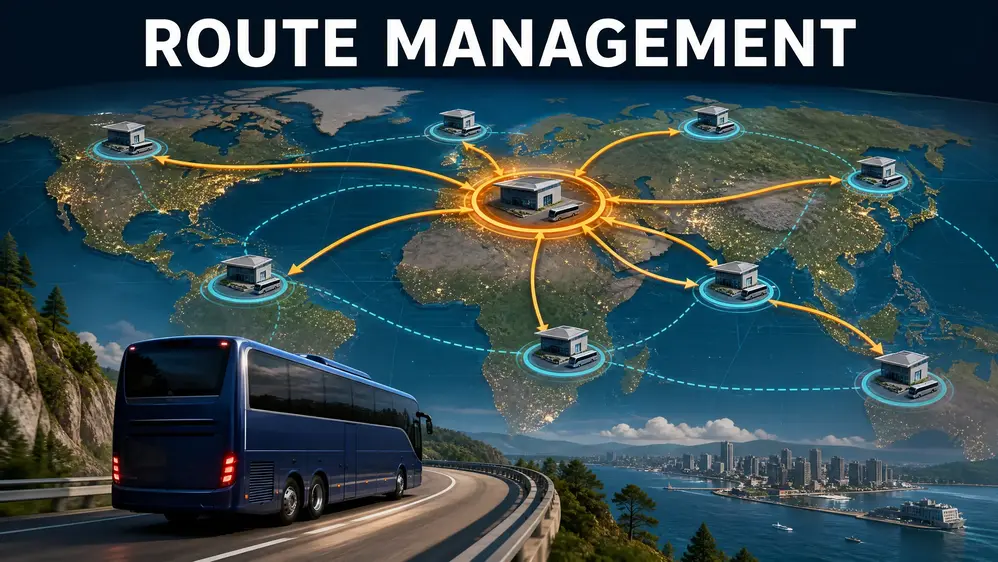
Good route planning keeps your international network connected. Each route should support your wider company structure instead of standing alone. Route Management becomes more important as you add offices and destinations. You need to consider the distance, available connections, and role of each location.
Create Routes Around Your Existing Network
Start with the routes you already operate. Look for destinations that can extend those connections. A new route should add value to your current network instead of creating an isolated journey. For example:
Office A → City B
can later become:
Office A → City B → Office C
This approach gives your company a clear expansion path. Check the available Bus Stations / Terminals before creating new connections. The game includes more than 300 original terminals, according to its official listing. Bus Simulator Ultimate PC Keyboard
Connect Major Locations
Major locations can serve as useful points between different parts of your network. You can connect one important city with several surrounding destinations. Later, those connections can support routes into another country or region. For example:
City A → City B
City B → City C
City B → City D
Here, City B becomes an important connection point. Don’t choose a location simply because it looks important in the real world. Check the destinations and routes available in your current game version.
Use Regional Hubs
A regional hub can connect several offices within the same area. Suppose you operate offices across Europe. You could use one location as a central point and build several routes from it.
Office A → Hub → Office B
Then add another connection:
Office C → Hub → Office D
This creates a structured network instead of several unrelated routes. Regional hubs also make Intercity Transport easier to organize. You can expand outward from one central location instead of opening offices randomly.
Expand Routes After Opening an Office
Opening an office should be the start of your expansion, not the final step. After establishing a new location, review its available destinations. Look for routes that connect the new office with your existing network. Start with a few useful connections. Then expand when your company can manage more routes. For longer journeys, consider your Long-Distance Driving needs. Longer routes require more time and careful bus planning. A simple expansion pattern looks like this:
Existing Network → New Office → Local Connections → Regional Routes → International Connections
Avoid creating too many routes at once. A smaller connected network is easier to manage than a large group of isolated routes. The official game description supports this wider company-management approach. Bus Simulator : Ultimate includes worldwide offices, company management, and thousands of cities and terminals.
How Company Management Changes as You Expand
International expansion changes how you manage your bus company. A small operation may need only a few buses and routes. A larger network needs better organization. As you add Global Offices, your role shifts from only driving buses to managing the wider company.
Manage Your Growing Fleet
Your fleet becomes harder to manage as your network grows. Each bus needs a suitable route and regular attention. You also need to consider which vehicles fit short trips and which work better for longer journeys. The game offers different Coach Buses and licensed vehicles. You can build your fleet around your company’s current network instead of buying buses without a plan. As a Fleet Manager, keep track of:
A controlled fleet makes international expansion easier to manage.
Hire Employees
More routes create more work for your company. Bus Simulator Ultimate includes an employee system that lets players build and manage their company. As your operation grows, consider adding employees to support your expanding business. Don’t hire staff simply because you can. Match your workforce with the size of your operation.
Hire Staff for Larger Operations
A larger international company needs more than buses. You may have several offices, routes, and vehicles operating across different regions. Managing everything yourself can become difficult. This is where Hire Staff becomes part of your wider company strategy. Your focus gradually changes from individual journeys to overall business management. You can think of the progression like this:
Driver → Company Owner → Fleet Manager → International Company Manager
Each stage requires more planning.
Manage Multiple Routes
Multiple offices usually mean more route-management work. Keep track of which buses operate on which routes. Avoid creating routes that overlap without a clear reason. A simple record can help:
| Office | Route | Region |
| Office A | City A → City B | Asia |
| Office B | City C → City D | Europe |
| Office C | City E → City F | North America |
This gives you a quick view of your network. Good Route Management also helps you decide where your next office should go. Bus Simulator Ultimate Terminals
Keep Your Company Organized
Organization becomes more important with every new office. Keep your expansion plan simple. Know where your offices are, which routes they support, and which buses serve those routes. You can divide your network into regions:
Asia → Europe → North America → South America
Then manage each region before connecting it to the next one. The official game description highlights company management, employee hiring, worldwide offices, and a large city network. Your job as the Company Owner is to make those systems work together. A growing company does not need endless expansion. It needs an organized network that you can manage effectively.
Choosing the Right Buses for an International Network
Your bus fleet becomes more important as your international network grows. Different routes can place different demands on your vehicles. You don’t need every bus available in the game. Choose vehicles that fit your routes, budget, and company plans.
Coach Buses
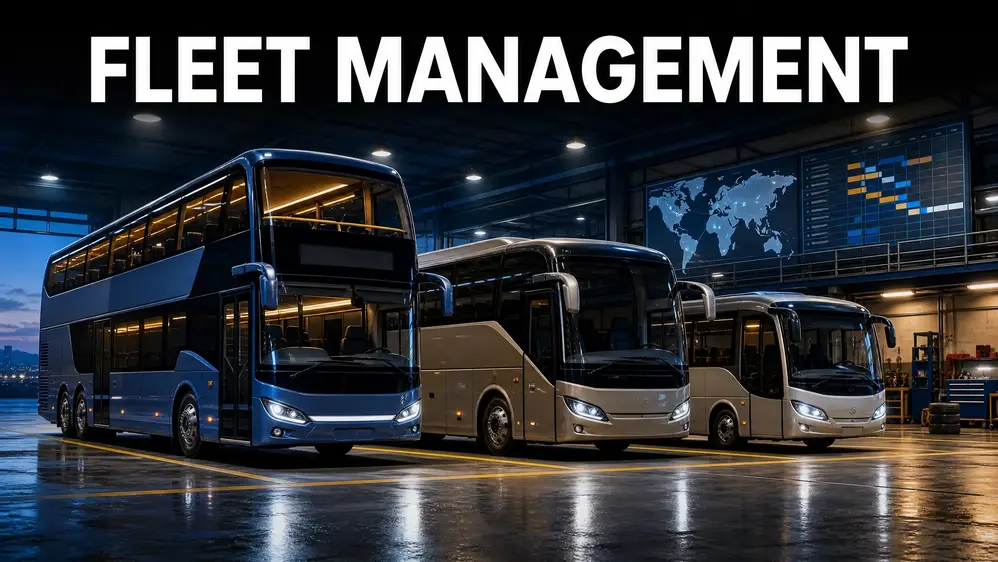
Coach Buses suit the long-distance travel that forms much of an international network. Consider the route length, passenger capacity, and vehicle features before buying one. A long route can justify a larger coach when your company has enough demand to use it effectively. Avoid buying expensive coaches simply to expand your fleet. Match your purchases with your actual network.
Licensed Buses
Licensed Buses add real-world manufacturers to the game. Bus Simulator Ultimate features licensed buses from several well-known brands. These include Mercedes-Benz, Scania, Setra, Temsa, and Marcopolo. Each brand offers different models, so compare the available specifications before making a purchase. Your choice should support your route rather than simply depend on the badge.
Double-Decker Buses
Double-Decker Buses can provide high passenger capacity on suitable routes. They can make sense when your network regularly supports larger passenger loads. Before using one on an international route, check the available vehicle information and route requirements in your current game version. The right bus depends on the route. A high-capacity vehicle isn’t automatically useful everywhere.
Used Buses
The Used Buses Market gives you another way to expand your fleet. Used Buses can help players who want to increase their fleet without immediately purchasing new vehicles. However, check the vehicle’s condition and available specifications before buying. A cheaper purchase can become less attractive if the vehicle requires more attention or does not fit your routes.
When to Consider the Used Buses Market
Consider the used market when:
Don’t fill your fleet with used vehicles just because they cost less. Your goal is to build a fleet that supports your Global Expansion. For a growing international company, the better approach is simple:
Choose the route first → Check the requirements → Compare available buses → Buy the vehicle that fits your plan.
This keeps your fleet connected to your Company Management strategy instead of turning bus purchases into random expenses.
How to Grow Your Bus Empire Without Expanding Too Fast
Building a Global Bus Empire takes more than opening offices quickly. Fast expansion can leave your company with too many routes, buses, and locations to manage. A better approach uses steady growth. Build a stable network first, then add new offices when your company can support them.
Build in Stages
Break your expansion into clear stages. Start with one office and a few routes. Learn how your buses, employees, and routes work together. Then move toward regional expansion. A simple progression looks like this:
First Office → Local Network → Regional Expansion → International Network → Global Expansion
Each stage gives you time to understand your company’s needs. Avoid opening several offices before your existing routes become manageable. More locations also mean more decisions for the Company Owner.
Reinvest Into Your Company
Use your available resources to strengthen the company before chasing another expansion. You can consider investing in:
Don’t spend everything on one area. For example, buying several expensive buses may leave you without enough resources for your next useful office. Your goal should be steady company growth, not the fastest possible expansion.
Expand Only When Your Network Is Ready
Look at your existing network before opening another office. Ask yourself:
If your current network still needs work, improve it first.
Avoid Opening Too Many Offices
More offices can increase your management workload. An office should support your network rather than simply increase your location count. Choose locations that create useful connections or open access to another region. This keeps Office Expansion connected to your wider company strategy.
Avoid Buying Buses Without a Plan
Every bus should have a purpose. Before buying one, think about which route it will serve and whether your network needs another vehicle. The Used Buses Market can also give you another option when you want to grow your fleet gradually. A controlled fleet makes your international operation easier to manage.
Avoid Disconnected Routes
A route that has no connection with your wider network can make expansion harder to organize. Try to create routes that link existing offices, cities, or regional hubs. Your network should gradually look like a connected system rather than separate routes scattered across the map.
Don’t Ignore Company Management
International expansion increases your responsibilities. You need to manage:
The game combines driving with company management and business-building features. If you focus only on opening offices, you can lose track of the operation behind them.
Build Before You Expand
A strong international company starts with a stable base. Build useful routes first. Organize your fleet next. Then add another office when it supports your next goal. This slower approach gives your Global Bus Empire a clear structure. Expand because your network is ready, not simply because another location is available.
Global Offices and Profit Management
Growing a Bus Company requires more than opening new offices. You also need to control your expenses and use your resources carefully. Every new route, bus, and office affects your company budget. Good Company Management helps you keep expansion under control. The game includes company-building and management features, but exact earnings can vary with routes, vehicles, and game updates.
Don’t Chase Maximum Profit on Every Route
A route with the highest possible income isn’t always the right choice. Look at the complete picture before selecting a route:
A route can still have value if it connects two important parts of your network.
Think about long-term network growth rather than judging every route by one income figure.
Balance Expansion and Expenses
Opening offices and buying buses can consume your available resources. Don’t spend your entire budget on expansion. Keep enough resources for your existing operation. Before opening another office, consider its place in your network and the costs involved. Avoid relying on fixed office prices from old guides. Game values can change with updates, so check the current in-game price before making a purchase. The same rule applies to buses. Compare the available options before spending money on a new vehicle. A simple budget approach works well:
Current Operations → Essential Costs → Planned Expansion → Future Reserve
This gives your company room to handle unexpected expenses.
Reinvest Into the Network
Use your earnings to strengthen the parts of your company that support future growth.
You might reinvest in:
Don’t reinvest everything in one area. For example, buying several buses makes little sense if you don’t have enough useful routes for them. Your Profit Maximization strategy should support the entire network. A healthy expansion cycle looks like this:
Operate Routes → Earn Resources → Improve Network → Add Useful Connections → Expand Offices
This approach keeps profit connected to company growth.
Think About Long-Term Profit
Short-term earnings can be useful, but your international network needs a longer view. A new office may matter because it creates access to new cities. A new route may matter because it connects two existing regions. Measure each decision by what it adds to your company. The goal isn’t to make every individual route produce the highest possible return. The goal is to build a network that remains manageable while your Global Bus Empire grows.
Other Features That Support Your Global Bus Company
Global expansion is only one part of the Bus Simulator Ultimate experience. Several driving and management features make each journey feel more like a real coach operation. These features do not directly control your offices. They support the driving, route, and company experience around them.
Passenger System
The Passenger System adds a human element to each route. Passengers board your coach and travel between destinations. Their presence makes route planning feel closer to real intercity transport. Your office network creates the structure. The passenger system gives those routes their purpose.
Passenger Feedback
Passenger Feedback gives you another way to judge the quality of your service. Passenger reactions can make each journey feel more interactive. They also connect the driving experience with your role as a Company Owner. Good company management involves more than adding offices. Your service matters too.
Realistic Traffic System
The Realistic Traffic System adds traffic to your journeys. You may encounter different vehicles while traveling between cities. Traffic makes long-distance driving less predictable and keeps routes from feeling like empty roads. This matters when your company operates routes across different regions.
Dynamic Weather
Dynamic Weather can change the conditions during a journey. Rain, snow, and other weather conditions can make driving more challenging. They add variety to routes and make the simulator feel less repetitive. Weather affects the driving experience rather than your office structure.
Highway Toll Roads
Highway Toll Roads add another detail to long-distance journeys. Your bus may travel through toll sections while connecting distant locations. These roads make international routes feel more like real coach journeys. They also give longer routes more variety than simple point-to-point driving.
Rest Areas
Rest Areas provide another part of the long-distance travel experience. They fit naturally into routes that cover greater distances. This supports the game’s focus on realistic coach travel. As your network grows, long-distance routes can become a regular part of your company’s operation.
Detailed Cockpits
Detailed Cockpits make each bus feel more distinct. Players can see interior controls and driving details while operating their coaches. This helps create a stronger connection between the player and the vehicle. Your offices manage the business side. The cockpit handles the driver’s side.
Bus Stations and Terminals
Bus Stations / Terminals connect your company with the cities you serve. The official Google Play listing states that the game includes more than 300 original terminals and over 20,000 cities and counties. These locations give your route network places to start, stop, and connect.
Host Service
The Host Service adds another layer to the passenger experience. A host or attendant can support the service offered during a journey. This helps make your coach operation feel more like a managed transport service. It complements the passenger-focused side of the game.
Radio Stations
Radio Stations add variety during long journeys. The game includes more than 250 radio stations, according to its official game information. They don’t affect office expansion, but they can make longer routes more enjoyable.
Realistic Sound Effects
Realistic Sound Effects add detail to the driving experience. Engine sounds, road noise, and other audio elements help make each journey feel more immersive. Together, these features support the larger experience behind your Global Bus Company. Offices shape your expansion, routes connect your network, and driving features make each journey feel more realistic.
Global Offices and Multiplayer Competition
Global Offices focus on growing your company, while multiplayer adds a competitive side to the game.
Ultimate League
The Ultimate League gives players a way to compete with others. It adds a separate goal beyond managing offices and building routes. Your company can keep expanding while you take part in multiplayer competition.
Multiplayer Competition
Multiplayer competition can test your driving and management skills against other players. However, winning an individual competition does not automatically mean you have built a strong company.
Build a Stronger Company
Company growth requires long-term planning. You need to manage:
Multiplayer success focuses on competition. Company Management focuses on building and maintaining your wider operation. A player can perform well in individual competitions while still having a poorly organized network. Your larger goal should remain clear: build useful connections, manage your offices, and grow your Global Bus Empire over time.
Common Global Office Expansion Mistakes
International expansion can make your Bus Company more exciting, but poor planning can make management harder. Avoid these common mistakes when building your Global Bus Simulator Empire.
Opening Offices Without a Plan
Don’t open an office simply because a new location looks interesting. First, decide what the office adds to your network. It should support existing routes or create useful connections for future expansion. A clear purpose makes Office Expansion easier to manage.
Expanding Into Too Many Countries
Opening offices across many countries at once can spread your resources too thin. Start with one region and build a stable network there. Then move into another region when your company can handle the extra work. A gradual approach keeps Global Expansion under control.
Ignoring Route Connections
An office becomes more useful when it connects with your existing routes. Avoid creating isolated routes that have little connection with the rest of your network. Before opening another office, check which cities and destinations you can connect to it.
Buying Too Many Buses
A growing fleet can look impressive, but unused buses still consume your resources. Buy vehicles when you have a clear use for them. Match your fleet with your current routes and expansion plans. The Used Buses Market can also provide another option when you need additional vehicles.
Neglecting Employees
Your responsibilities increase as your company grows. More offices and routes can create more management work. Don’t ignore the employee system while focusing only on expansion. Use Hire Employees and staff management as part of your wider company strategy.
Forgetting Existing Offices
New locations can easily take your attention away from older offices. Keep checking your existing network. Make sure your routes remain useful and your buses still have clear assignments. Your older offices form the foundation of your international network.
Focusing Only on Expansion
Opening more offices isn’t the only measure of company growth.
A strong operation also needs:
Think about quality before quantity. A smaller, well-managed network can give you a stronger foundation for future Global Expansion than a large group of disconnected offices.
Global Office Expansion Strategy for Beginners
Building a worldwide company can feel difficult when you are starting out. A simple expansion plan makes each step easier to manage. Follow the stages below instead of opening offices and routes randomly.
Stage 1: Start With One Office
Begin with your first office and learn how the company system works. Use this location as the base for your early routes. Learn how to manage buses, destinations, employees, and daily operations. Don’t worry about creating a worldwide network yet.
Stage 2: Build Your First Routes
Create a few routes from your starting location. Choose destinations that fit your current network. Learn how routes work before adding more offices. This stage gives you practical experience with Route Management and intercity travel.
Stage 3: Strengthen Your Fleet
Build a fleet that supports your existing routes. Don’t buy every available bus. Choose vehicles based on your company’s needs and available resources. You can consider new or Used Buses as you expand. Your goal is a useful fleet, not the biggest fleet.
Stage 4: Establish Another Office
Once your first network feels stable, look for another location. Choose an office that can extend your existing network. Check its available destinations before making the move. Don’t choose a location only because it belongs to a different country.
Stage 5: Connect the New Location
After establishing the office, connect it with your existing network. For example:
Existing Office → New Office → New Destinations
This gives the new location a clear role. Avoid leaving a new office disconnected from your main operation.
Stage 6: Create a Regional Network
Once two or more locations work together, expand within the same region. Connect additional cities and create several useful routes. Your network might look like:
Office A → Hub → Office B → Office C
This creates a stronger foundation for future international expansion.
Stage 7: Expand Internationally
Now you can start connecting different regions. Move into another country when your existing network can support the expansion. Consider:
Take one expansion step at a time.
Stage 8: Build a Worldwide Bus Company
At this stage, your Bus Company can operate across multiple regions. Connect your offices, manage your fleet, organize employees, and continue adding useful routes. Your goal is no longer just to unlock locations. You are building a connected Global Bus Empire. The complete progression looks like this:
One Office
↓
First Routes
↓
Stronger Fleet
↓
New Office
↓
Connected Locations
↓
Regional Network
↓
International Expansion
↓
Worldwide Bus Company
Keep each stage stable before moving to the next one. This makes Global Expansion easier to control and gives every new office a clear purpose.
Bus Simulator Ultimate Global Offices FAQ
What are Global Offices in Bus Simulator Ultimate?
Global Offices are company locations that let you expand your bus business across different parts of the world. Zuuks Games says players can build offices in many worldwide locations.
How do you open an office in Bus Simulator Ultimate?
The game supports worldwide offices as part of its company-management system. However, the official sources do not provide a complete current step-by-step office-opening procedure. Check the office options inside your current game version before following older guides.
How do you establish an office in another country?
Choose an available location within the game’s office system and check its current options. The available locations can change with game updates, so use your current map as the final reference.
How many cities are available in Bus Simulator Ultimate?
The official game information states that Bus Simulator : Ultimate includes over 20,000 cities and counties. It also lists more than 300 original terminals.
Can you expand your bus company internationally?
Yes. International company growth is a core part of the game. Zuuks Games describes building offices worldwide, expanding your network, hiring employees, and growing your company.
What is the difference between an office and a terminal?
An office represents part of your Bus Company and supports its worldwide expansion. A terminal serves as a bus station within the game’s city and route network. The official game listing separately mentions worldwide offices and more than 300 original terminals.
How do offices help with route management?
Offices give your company locations around the world. These locations can become part of your wider route network. You can use offices as bases while planning connections between cities and regions. The game combines worldwide offices with intercity transport and company management.
Which countries are available in Bus Simulator Ultimate?
The official listing names many locations, including the United States, United Kingdom, China, Canada, Germany, Italy, France, Spain, Türkiye, South Korea, Japan, Brazil, India, and more. The list may change with updates. Check the current game map before planning your Global Expansion.
Can you manage multiple offices?
The game supports offices in many places worldwide and includes company-management features. This supports building a larger international operation rather than limiting your company to one location.
How do you build a global bus empire?
Start with one office and build a stable route network. Then expand into new locations that support your existing operation. A practical progression is:
First Office → Local Routes → New Office → Regional Network → International Expansion → Worldwide Bus Company
Manage your buses, employees, routes, and resources at each stage. This gives your Global Bus Empire a clear structure instead of creating disconnected operations.
Final Thoughts
Building Global Offices in Bus Simulator Ultimate works best when you think beyond individual locations. Don’t treat every office as a separate operation. Build a connected network where each location supports your wider company. Start small and learn how your first office works. Build useful routes before adding another location. Choose offices that give your network new connections. As your company grows, manage your fleet carefully. Hire employees when your operation becomes larger. Keep your routes and offices organized. Expand one region at a time instead of opening locations randomly. Connect each new region with your existing network when possible. The long-term goal is simple:
Start Small → Build Routes → Establish Useful Offices → Grow Your Fleet → Hire Employees → Expand Region by Region → Build a Global Bus Company
A successful Global Bus Empire does not come from having the most offices. It comes from building a network where every office, route, bus, and employee has a clear purpose.